
IZ Shelf
Your local assets, one useful library. Browse folders, preview media and bring the right file straight into your edit.
From ₹499 / one time
Explore IZ ShelfEditing is creative. Finding files, sorting projects and repeating the same little tasks? Not so much. We build Premiere Pro plugins that take care of the busywork, so you can spend more time doing what you love.
One-time paymentYour files stay yoursBuilt for editors
Loading interactive illustration…
Find what you need. Put things in order. Get back to the part you love.
Your local assets, one useful library. Browse folders, preview media and bring the right file straight into your edit.
A clearer project. A calmer timeline. Organize Premiere bins and keep 11 everyday editing tools in one panel.
Get IZ Shelf and IZ Organize Pro together, with a licence for 2 computers each. That’s 4 activations in total, for one individual.
Save ₹398 compared to purchasing both Dual plans separately.
Tap, search and explore these interactive illustrations. No installation needed.
Keep your footage, music, images and motion templates close at hand. Search your library instead of retracing your steps to find where you saved everything.
Loading interactive illustration…
Loading interactive illustration…
Turn a mixed project into something you can actually navigate. Preview the suggested bin structure before applying changes, while your original media stays right where it is.
Adjustment layers, nesting, framing and more. Keep your everyday editing tools together in one panel, so you spend less time searching through menus. IZ Organize Pro also comes with a Windows Desktop workspace and an IZ Focus timer.
Loading interactive illustration…
Choose IZ Shelf when finding, previewing and importing files is slowing down your edit.
IZ ShelfChoose IZ Organize Pro to keep your project bins organised and everyday editing tools within reach.
IZ Organize ProGet the best of both. Use IZ Shelf to manage your assets and IZ Organize Pro to keep your projects in order. The bundle includes two activations for each plugin.
Studio Dual Bundle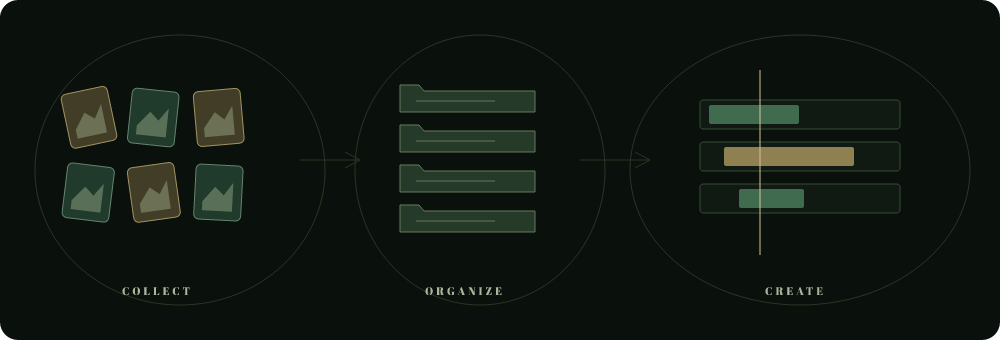
We develop independent tools for the practical parts of editing: finding an asset, putting a project in order, or repeating the same action for the tenth time.
The idea is simple: make those moments easier to handle, so your attention can stay with the story. Your media remains on your computer. Your creative decisions remain yours.
Get to know the labSame features in both plans. The only difference is how many computers you can activate.
One-time individual licence. Choose your operating system (Windows or Mac) when you enquire. Mac packages are unsigned, unvalidated previews.
One-time individual licence. Choose your operating system (Windows or Mac) when you enquire. Mac packages are unsigned, unvalidated previews.
Need licences for multiple editors or a shared workplace? Get in touch for custom pricing and an organisation licence.
Online checkout is not open yet. Plan buttons open an inquiry; no payment is taken. How purchase enquiries work
Shelf is for your local asset library: browsing, filtering, previewing and importing. Organize Pro is for Premiere project bins and everyday editing actions. They work independently; the bundle covers both.
Yes. IZ Organize Lite for Windows includes six core actions without activation. Download it from the link above or the Organize product page. Advanced modes, Desktop and IZ Focus require Pro.
Windows installers are available. Mac ZIP packages are unsigned previews and have not been validated on a physical Mac. Check the product page and contact support about your setup before buying. The platform selector is available in every plan inquiry.
IZ Shelf with two computer activations and IZ Organize Pro with two computer activations, for the same individual. These are two product entitlements, not a shared four-seat company key.
Personal, Dual and the Studio Dual Bundle are one-time licenses. Personal covers one active computer; Dual covers two. Activation and periodic verification need an internet connection.
The library and organization workflows use your local files. Shelf does not move your originals; Organize changes Premiere bins rather than relocating source media. License verification uses an internet connection.
Each product page includes setup steps, current build information and compatibility notes. Codec preview/import support depends on your setup; some Shelf audio features require external FFmpeg. Contact support if you are unsure about your Premiere version.
Online checkout is not open yet. Select a plan to open an email inquiry; support confirms availability and delivery before payment. The refund policy includes a 7-day window, with faulty or misdescribed products also covered. Read the full refund policy for details.
Find the tools that make your editing workflow a little easier.